MVG | Mediaplayer Samsung
MVG | Mediaplayer Samsung
SKU: PUQWMHFSQO
Why Choose Us?
Introducing a customized PC-less media player solution designed specifically for Samsung screens, enabling the creation of a dynamic digital signage environment.
With just this software and a Samsung QH screen, which you can conveniently purchase from your preferred dealer, you’re all set. The application installation process is quick and straightforward, taking only a few minutes. Once installed, you can effortlessly manage your media content, including movies and images, through our user-friendly digital signage manager.
This solution offers a seamless installation experience without the need for an external media player, as everything is integrated and operates through the Samsung Tizen operating system. We provide two types of CMS Signage managers to control the content: “Creative Manager” and “Admin Manager.”
If you already have pre-made media content from a media company or in-house art directors, our Admin CMS is the ideal choice for you. On the other hand, if you prefer to create content from scratch using simple templates and pre-made content, our Creative solution CMS (Canva) is available.
Regardless of your preference, both systems allow you to effortlessly manage the content displayed on the screen. Please note that licenses for each media player is separate and the type of manager you want (Admin or Creative) are purchased separately. For more information, please visit our website’s license section.
MVG | Floor Unit
MVG | Floor Unit
SKU: UURUQNBPMO
Why Choose Us?
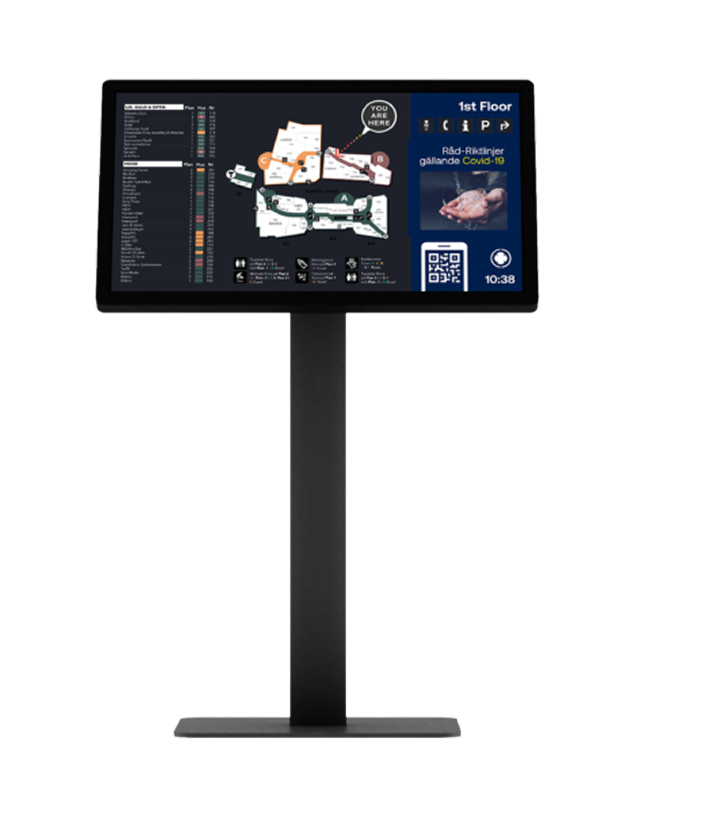
With everything included, internet, media player, and support, you can place screens easily where you want. Developed, manufactured, and created in Sweden, this product features a simpler design.
1.CMS License
Black is included by default
The price includes a setup that encompasses a specifc number of points of interest. These are the items you wish to display and emphasize on the map, such as tenants, services, ATMs, or any other relevant features.
The price includes the setup of up to fve foors, with each foor being of any size. However, we reserve the right to charge extra if the complexity of the setup is above normal. Additionally, if you don't have a clear drawing or blueprint available, there will be an extra cost.
The price includes the setup of two buildings.However, we reserve the right to charge an additional cost if the complexity of the setup exceeds the normal level. Additionally, if you don't have clear drawings or blueprints of your environment, additional hours will be required and thus an extra cost may apply.
MVG | Floor Unit
MVG | Floor Unit
SKU: UURUQNBPMO
Why Choose Us?
With everything included, internet, media player, and support, you can place screens easily where you want. Developed, manufactured, and created in Sweden, this product features a simpler design.
1. Size
You have the option to select from three different screen sizes, namely 32 inches, 43 inches, or 55 inches, depending on your requirements.
The price includes a setup that encompasses a specifc number of points of interest. These are the items you wish to display and emphasize on the map, such as tenants, services, ATMs, or any other relevant features.
The price includes the setup of up to fve foors, with each foor being of any size. However, we reserve the right to charge extra if the complexity of the setup is above normal. Additionally, if you don't have a clear drawing or blueprint available, there will be an extra cost.
The price includes the setup of two buildings.However, we reserve the right to charge an additional cost if the complexity of the setup exceeds the normal level. Additionally, if you don't have clear drawings or blueprints of your environment, additional hours will be required and thus an extra cost may apply.
MVG | Floor Unit
MVG | Floor Unit
SKU: UURUQNBPMO
Why Choose Us?
With everything included, internet, media player, and support, you can place screens easily where you want. Developed, manufactured, and created in Sweden, this product features a simpler design.
2. Signage CMS License
The Signage CMS manager empowers you to manage your screen's content by adding your own videos and images. Additionally, you can incorporate our creative signage suite, which offers access to thousands of templates to create stunning content on the fly, without any hassle. It's effortless to use, enabling you to produce exceptional content quickly and easily.
The price includes a setup that encompasses a specifc number of points of interest. These are the items you wish to display and emphasize on the map, such as tenants, services, ATMs, or any other relevant features.
The price includes the setup of up to fve foors, with each foor being of any size. However, we reserve the right to charge extra if the complexity of the setup is above normal. Additionally, if you don't have a clear drawing or blueprint available, there will be an extra cost.
The price includes the setup of two buildings.However, we reserve the right to charge an additional cost if the complexity of the setup exceeds the normal level. Additionally, if you don't have clear drawings or blueprints of your environment, additional hours will be required and thus an extra cost may apply.
MVG | Floor Unit
MVG | Floor Unit
SKU: UURUQNBPMO
Why Choose Us?
With everything included, internet, media player, and support, you can place screens easily where you want. Developed, manufactured, and created in Sweden, this product features a simpler design.
3. Internet LTE
A stable internet connection is crucial for the optimal performance of the product. To ensure reliable connectivity, we provide an integrated LTE (cellular) solution option. Once the device is powered, all other features will function seamlessly, making installation and maintenance a breeze. Our team has developed a tailor-made signage router, which is designed to run 24/7 and connects your device to our IoT monitoring system. This guarantees that your product operates smoothly and consistently.
The price includes a setup that encompasses a specifc number of points of interest. These are the items you wish to display and emphasize on the map, such as tenants, services, ATMs, or any other relevant features.
The price includes the setup of up to fve foors, with each foor being of any size. However, we reserve the right to charge extra if the complexity of the setup is above normal. Additionally, if you don't have a clear drawing or blueprint available, there will be an extra cost.
The price includes the setup of two buildings.However, we reserve the right to charge an additional cost if the complexity of the setup exceeds the normal level. Additionally, if you don't have clear drawings or blueprints of your environment, additional hours will be required and thus an extra cost may apply.
MVG | Floor Unit
MVG | Floor Unit
SKU: UURUQNBPMO
Why Choose Us?
With everything included, internet, media player, and support, you can place screens easily where you want. Developed, manufactured, and created in Sweden, this product features a simpler design.
4. Creative Signage Suite
What type of design project do you have in mind today? With Creative Signage Suite, designing professional and eye-catching visuals to display on our signage screens has never been easier. You'll have access to a wide range of graphical tools, templates, and content that can be used to create stunning commercial ads and presentations for use with our solutions.
The price includes a setup that encompasses a specifc number of points of interest. These are the items you wish to display and emphasize on the map, such as tenants, services, ATMs, or any other relevant features.
The price includes the setup of up to fve foors, with each foor being of any size. However, we reserve the right to charge extra if the complexity of the setup is above normal. Additionally, if you don't have a clear drawing or blueprint available, there will be an extra cost.
The price includes the setup of two buildings.However, we reserve the right to charge an additional cost if the complexity of the setup exceeds the normal level. Additionally, if you don't have clear drawings or blueprints of your environment, additional hours will be required and thus an extra cost may apply.
MVG | Floor Unit
MVG | Floor Unit
SKU: UURUQNBPMO
Why Choose Us?
With everything included, internet, media player, and support, you can place screens easily where you want. Developed, manufactured, and created in Sweden, this product features a simpler design.
5. IoT PowerControl
Leveraging IoT devices, we can offer remote features like power control, and other functions, ensuring efficient remote support. This provides an extra layer of remote functionality to guarantee optimal uptime support. It also enables remote debugging of power-related issues, ensuring a stable and healthy product.
The price includes a setup that encompasses a specifc number of points of interest. These are the items you wish to display and emphasize on the map, such as tenants, services, ATMs, or any other relevant features.
The price includes the setup of up to fve foors, with each foor being of any size. However, we reserve the right to charge extra if the complexity of the setup is above normal. Additionally, if you don't have a clear drawing or blueprint available, there will be an extra cost.
The price includes the setup of two buildings.However, we reserve the right to charge an additional cost if the complexity of the setup exceeds the normal level. Additionally, if you don't have clear drawings or blueprints of your environment, additional hours will be required and thus an extra cost may apply.
MVG | Floor Unit
MVG | Floor Unit
SKU: UURUQNBPMO
Why Choose Us?
With everything included, internet, media player, and support, you can place screens easily where you want. Developed, manufactured, and created in Sweden, this product features a simpler design.
6. Support
We offer first-line support for all our products and are willing to discuss various roles and setups after completing the purchase. Additionally, we have developed an IoT interface that allows easy and remote management of the product, connecting clients, the internet, and routers through a visual interface. For more information on this, please refer to the "Products" tab, click on "Services," and select "MVG | Monitoring."
The price includes a setup that encompasses a specifc number of points of interest. These are the items you wish to display and emphasize on the map, such as tenants, services, ATMs, or any other relevant features.
The price includes the setup of up to fve foors, with each foor being of any size. However, we reserve the right to charge extra if the complexity of the setup is above normal. Additionally, if you don't have a clear drawing or blueprint available, there will be an extra cost.
The price includes the setup of two buildings.However, we reserve the right to charge an additional cost if the complexity of the setup exceeds the normal level. Additionally, if you don't have clear drawings or blueprints of your environment, additional hours will be required and thus an extra cost may apply.
MVG | Wall Unit Sign
MVG | Wall Unit Sign
SKU: BBHXJBEKUZ
Why Choose Us?
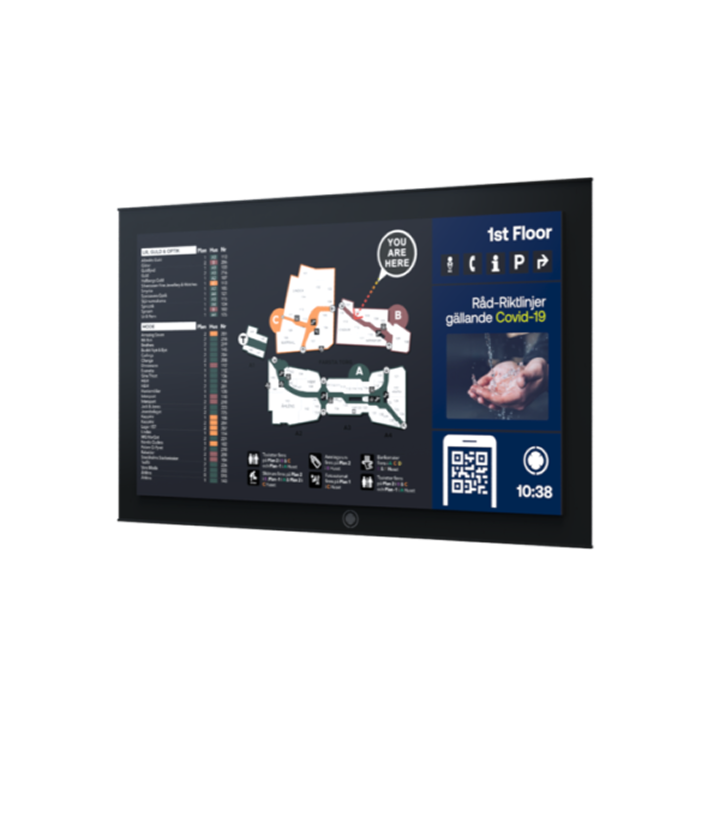
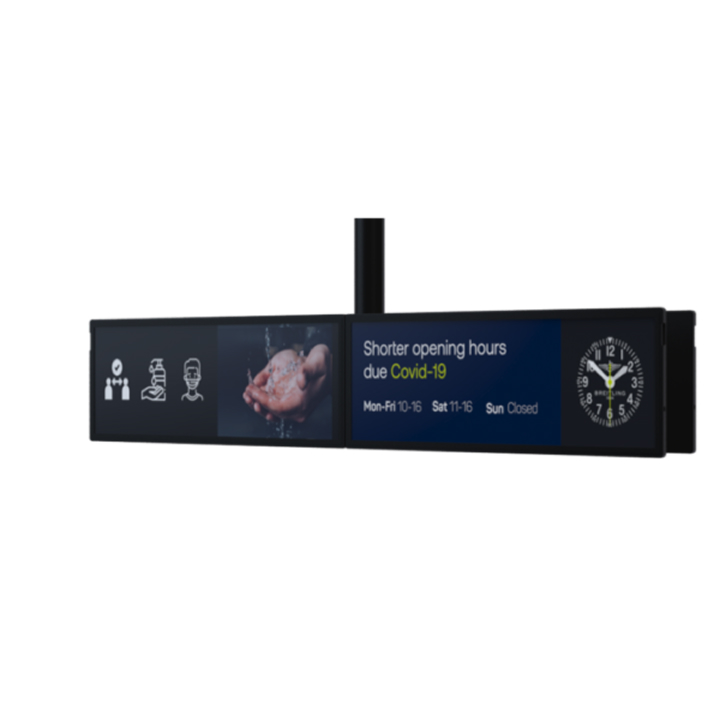
Upgrade your digital signage experience with our all-inclusive solution that seamlessly integrates all the necessary components, including a tailor-made signage router (LTE), mediaplayer, and IoT devices. This screen is specifically designed to run 24/7 and deliver an exceptional signage solution with optimal energy efficiency and an impressive display that showcases a wide range of colors and contrasts to entice your audience.
This customized solution is specifically designed to operate at peak performance in public environments, whether it’s connected to the internet or offline. Its smart architecture is engineered to minimize data traffic usage, ensuring efficient data consumption for low-data usage and very stable run-time. The installation process is simple and efficient – all you need is a power source. Our advanced signage manager empowers you to manage your signage solution effectively, whether you’re a creative designer who generates content from scratch or an admin manager who supplies pre-existing content.
We’re dedicated to providing comprehensive support and assistance throughout your journey, from creating customized content to collaborating with our developers for guidance on generating dynamic and unique content that captures your audience’s attention.
6. Support
We offer first-line support for all our products and are willing to discuss various roles and setups after completing the purchase. Additionally, we have developed an IoT interface that allows easy and remote management of the product, connecting clients, the internet, and routers through a visual interface. For more information on this, please refer to the "Products" tab, click on "Services," and select "MVG | Monitoring."
The price includes a setup that encompasses a specifc number of points of interest. These are the items you wish to display and emphasize on the map, such as tenants, services, ATMs, or any other relevant features.
The price includes the setup of up to fve foors, with each foor being of any size. However, we reserve the right to charge extra if the complexity of the setup is above normal. Additionally, if you don't have a clear drawing or blueprint available, there will be an extra cost.
The price includes the setup of two buildings.However, we reserve the right to charge an additional cost if the complexity of the setup exceeds the normal level. Additionally, if you don't have clear drawings or blueprints of your environment, additional hours will be required and thus an extra cost may apply.
MVG | Wall Unit Sign
MVG | Wall Unit Sign
SKU: BBHXJBEKUZ
Why Choose Us?
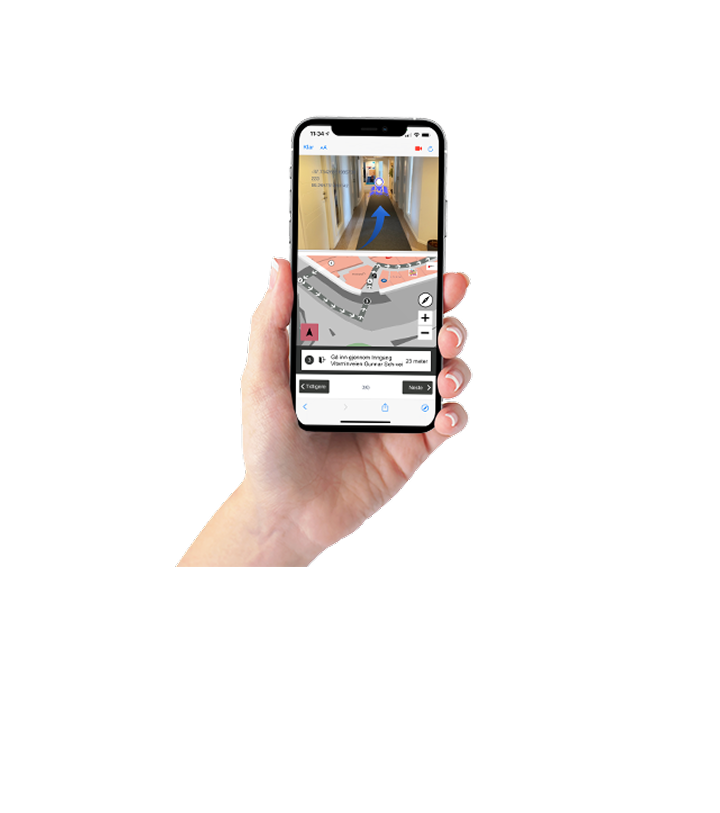
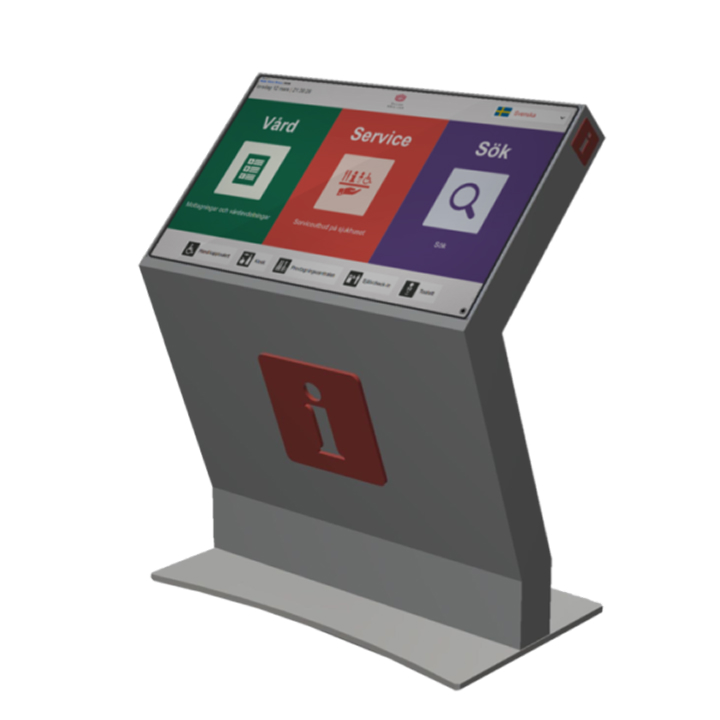
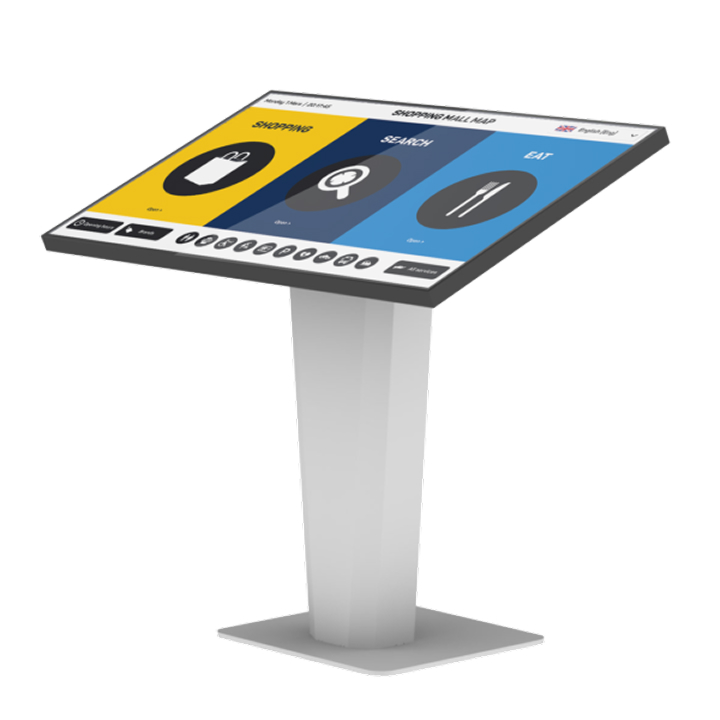
This product features a cutting-edge, state-of-the-art multi-touchscreen display (32″) with built-in internet (LTE) and a media player. With its streamlined design and lightweight construction, it’s a compact and versatile solution for all types of environments. The unique user interface, “Terminal UX,” offers an exceptional digital wayfinding experience that makes it easy for people to find products, offers, locations, and much more. With simple power supply requirements, this product is effortless to set up and use. Additionally, our MVG | NavApp can be seamlessly integrated with the digital wayfinding terminal to provide an augmented reality navigation experience that elevates wayfinding to the next level. Customers can enjoy a fast and hassle-free mobile wayfinding experience, with no need to install anything as it runs directly in their browser.
By purchasing this product, you gain access to digital wayfinding and digital signage content system managers. This allows for easy control of wayfinding, screensavers, and the ability to reach out with important offers and solutions and more.
8. Automate
You can automate Digital Wayfinder content by utilizing a CMS system such as Umbraco, Optimizely, or WordPress (other CMS systems may require research and development). We can extract existing content from one of these standardized CMS systems to automate content entry into Wayfinder. If you're interested, check out our services and automated products. Automation can be added later and does not need to be implemented immediately.
The price includes a setup that encompasses a specifc number of points of interest. These are the items you wish to display and emphasize on the map, such as tenants, services, ATMs, or any other relevant features.
The price includes the setup of up to fve foors, with each foor being of any size. However, we reserve the right to charge extra if the complexity of the setup is above normal. Additionally, if you don't have a clear drawing or blueprint available, there will be an extra cost.
The price includes the setup of two buildings.However, we reserve the right to charge an additional cost if the complexity of the setup exceeds the normal level. Additionally, if you don't have clear drawings or blueprints of your environment, additional hours will be required and thus an extra cost may apply.
MVG | Floor Unit Way
MVG | Floor Unit Way
SKU: YBGFZYYPXY
Why Choose Us?
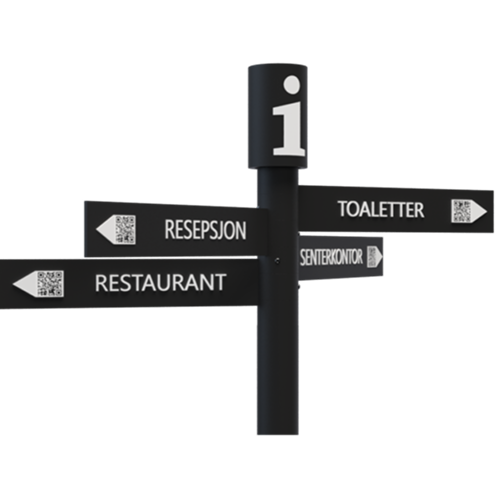
Upgrade your digital signage experience with our all-inclusive solution that seamlessly integrates all the necessary components, including a tailor-made signage router (LTE), mediaplayer, and IoT devices. This screen is specifically designed to run 24/7 and deliver an exceptional signage solution with optimal energy efficiency and an impressive display that showcases a wide range of colors and contrasts to entice your audience.
This customized solution is specifically designed to operate at peak performance in public environments, whether it’s connected to the internet or offline. Its smart architecture is engineered to minimize data traffic usage, ensuring efficient data consumption for low-data usage and very stable run-time. The installation process is simple and efficient – all you need is a power source. Our advanced signage manager empowers you to manage your signage solution effectively, whether you’re a creative designer who generates content from scratch or an admin manager who supplies pre-existing content.
We’re dedicated to providing comprehensive support and assistance throughout your journey, from creating customized content to collaborating with our developers for guidance on generating dynamic and unique content that captures your audience’s attention.
9. Support included
We offer first-line support for all our products and are willing to discuss various roles and setups after completing the purchase. Additionally, we have developed an IoT interface that allows easy and remote management of the product, connecting clients, the internet, and routers through a visual interface. For more information on this, please refer to the "Products" tab, click on "Services," and select "MVG | Monitoring.""
The price includes a setup that encompasses a specifc number of points of interest. These are the items you wish to display and emphasize on the map, such as tenants, services, ATMs, or any other relevant features.
The price includes the setup of up to fve foors, with each foor being of any size. However, we reserve the right to charge extra if the complexity of the setup is above normal. Additionally, if you don't have a clear drawing or blueprint available, there will be an extra cost.
The price includes the setup of two buildings.However, we reserve the right to charge an additional cost if the complexity of the setup exceeds the normal level. Additionally, if you don't have clear drawings or blueprints of your environment, additional hours will be required and thus an extra cost may apply.